


|
Name |
Java Pro |
|---|---|
|
Category |
Education |
|
Developer |
CourseTech |
| Last version | 1.5 |
|
Updated |
|
|
Compatible with |
Android 5.0+ |
Introduction to Java Pro APK
Java Pro is a mobile learning app built for Android devices, designed as an educational utility tool focused on programming practice. It combines structured lessons with a built-in coding environment, so users can study Java concepts and test code in the same place. This setup makes it feel more like a hands-on learning companion than a traditional reading-based app.
The main purpose of this app is to help users learn Java programming through direct interaction. Instead of reading long explanations and switching to another platform to test code, everything happens on one screen. You read a short lesson, type the code yourself, and instantly see the result. That quick feedback loop helps reduce confusion, especially for beginners.
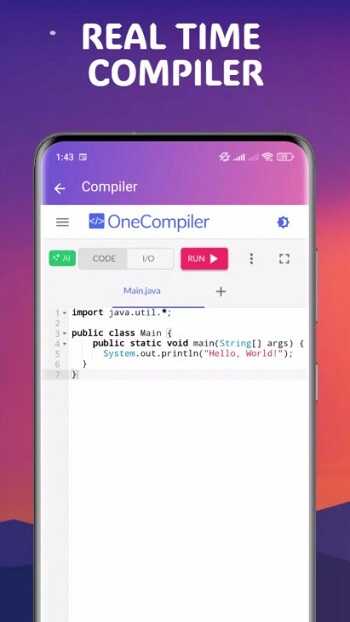
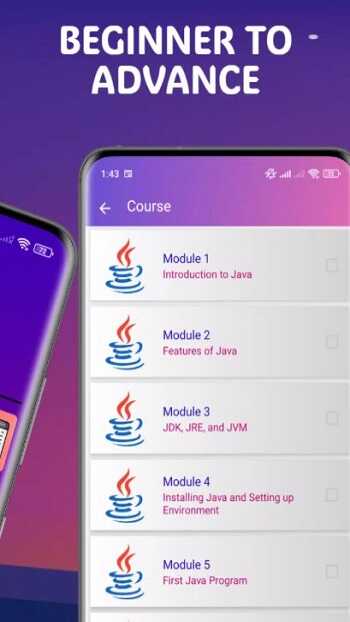
One of the most useful features is the integrated compiler. It allows users to run Java code immediately without installing extra software. This is especially helpful for those who don’t have access to a computer or prefer learning on the go. Along with that, the app follows a step-by-step lesson structure, guiding users from basic syntax to more advanced programming topics in a logical order.
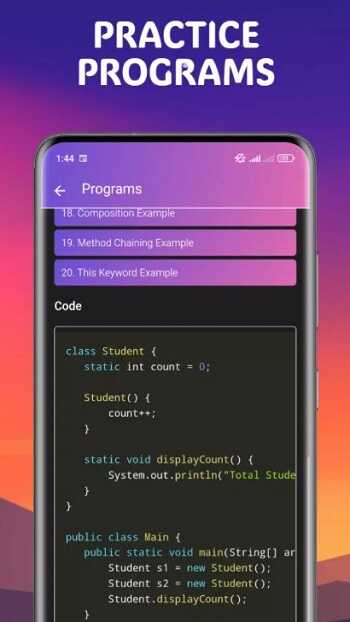
Another strong point is how it handles Object-Oriented Programming. Instead of long theoretical explanations, the app shows practical examples that demonstrate how classes, objects, and methods work together. This approach makes abstract ideas easier to understand and gives users a clearer sense of how Java is used in real projects.
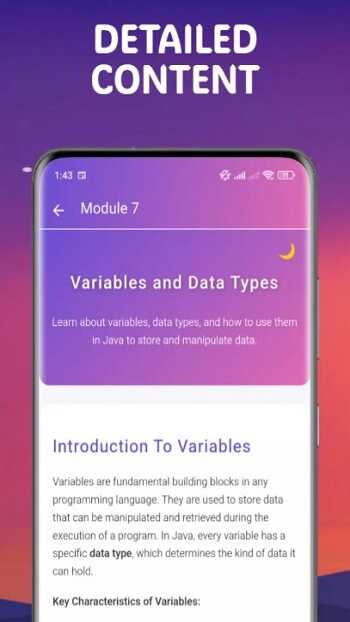
The app also focuses on simplicity. The interface is clean and easy to navigate, which reduces distractions while learning. You can quickly switch between lessons and coding sections without getting lost. This design is helpful for beginners who might feel overwhelmed by complex development tools.
There are still a few limitations. Mobile coding is convenient, but it may not fully replace a desktop setup for larger or more complex projects. Typing long code on a phone screen can feel slow, and advanced debugging features are limited compared to professional software. However, for learning and practice, it works well.
This app is suitable for beginners, students, and self-learners who want a flexible way to build Java skills. It fits short daily study sessions and works well for reviewing concepts or practicing small programs during free time.
FAQs Java Pro
What is Java Pro?
+
Java Pro is a mobile app that helps users learn Java programming through lessons and a built-in coding environment for real-time practice.
Can I run Java code directly in Java Pro?
+
Yes, the app includes a built-in compiler that allows you to write and execute Java code instantly on your phone.
Is Java Pro good for beginners?
+
Yes, it provides structured lessons and simple explanations, making it suitable for people with little or no programming experience.
Do I need a computer to use Java Pro?
+
No, the app works entirely on mobile devices, so you can learn and practice without a desktop setup.
What are the limitations of Java Pro?
+
It may feel less comfortable for long coding sessions, and it lacks advanced tools needed for large or complex software development.
Discover More Interesting Apps
-
 Mod
Mod
Seekho
v1.14.36
80.87 Mb
Updated -
Entri: Learning App for Jobs
v3.10.3
90.64 Mb
Updated -
Mod
Chorcha
v3.0.57
130.00 Mb
Updated -
Careerwill App
v2.34
82.05 Mb
Updated -
Mod
HelloTalk
v6.3.40
193.94 Mb
Updated -
Seesaw
v10.127.0
47.40 Mb
Updated -
Mod
Course Hero
v4.11.0
138.52 Mb
Updated -
Mod
Pingo AI
v4.4.1
117.15 Mb
Updated -
Peak
v4.31.3
203.83 Mb
Updated -
Mod
Brainly
v5.298.1
102.36 Mb
Updated










Share Your Thoughts